
Why Personas Matter
Real callers vary. Personas let you test against that variation systematically:Personas Dashboard
Navigate to Library → Personas from the left navigation panel. The dashboard shows your personas as cards in a searchable grid: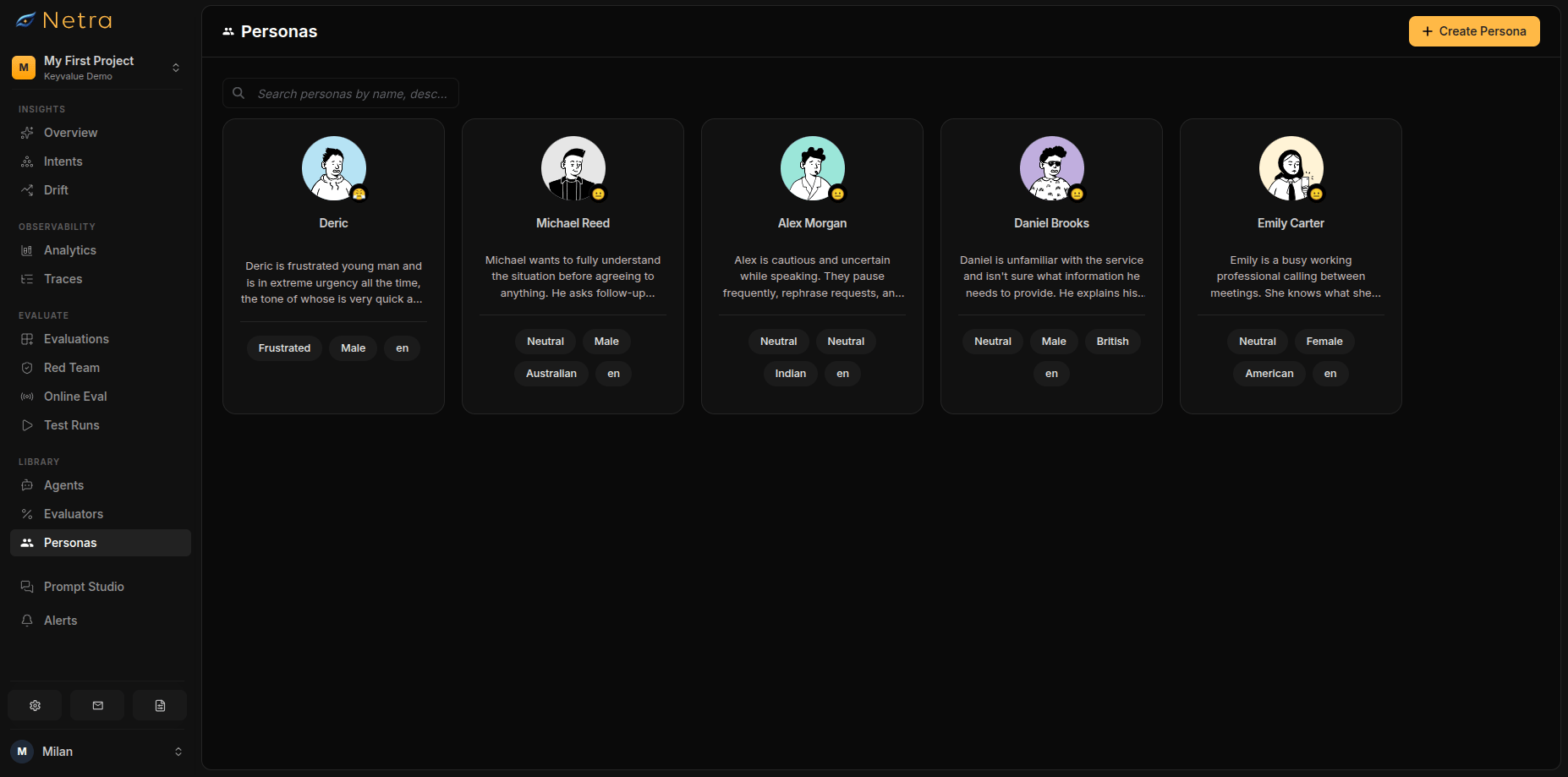
- Search: Find personas by name, description, or tag
- Create: Open the persona builder
- Edit / Delete: Manage existing personas from each card
Creating a Persona
1
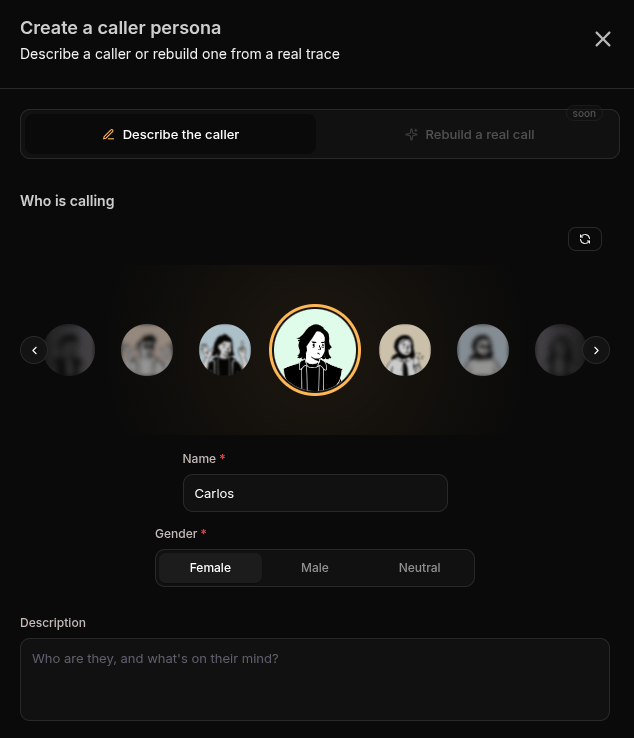
Pick an Avatar
2
Set Identity
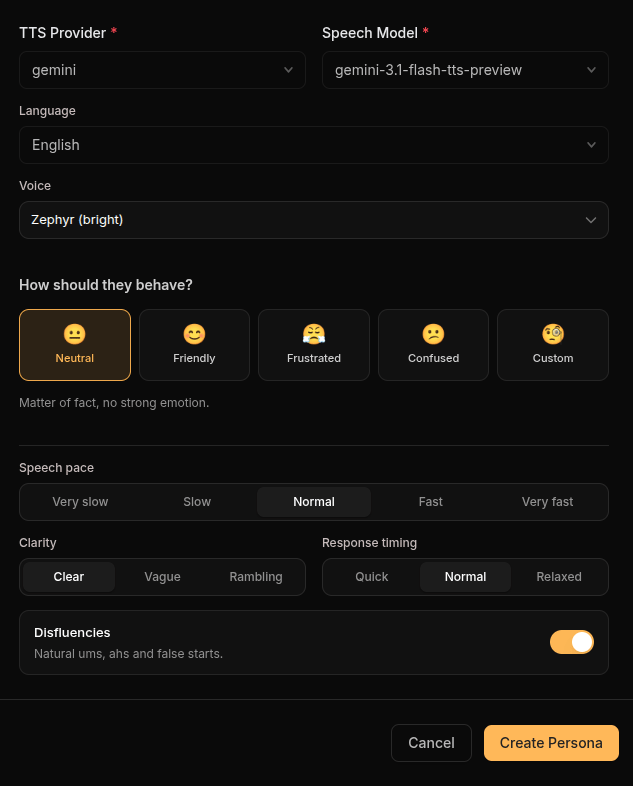
Choose a behaviour preset—neutral, friendly, frustrated, confused, or custom—to shape how the persona reacts when the conversation gets difficult.
3
Configure Speech Traits
Tune how the persona actually talks:
4
Assign a Voice
5
Add Knowledge
Provide the facts this persona knows (such as order numbers, dates, or account details) as key-value pairs. During a simulation, the persona can only reference this information—if your agent asks about something the persona does not know, it will say so.
6
Save
Click Create. The persona becomes selectable in the voice evaluation creation flow.
Using Personas
- In evaluations: Each voice scenario requires exactly one persona; mix personas across scenarios in the same evaluation to cover different caller types
- Across runs: Because a persona is fixed, changes in results between runs reflect your agent—not the caller
Best Practices
Building a Balanced Library
Cover the caller types your product actually serves:Managing Personas
- Name by behavior: “Fast rambling complainer” is more useful than “Test persona 3”
- Keep knowledge minimal: Only give personas the facts the scenario needs
- Reuse before you create: Check the library before adding a near-duplicate persona
Related
- Simulation Overview - Understand the full simulation framework
- Evaluations - Create voice simulation scenarios
- Evaluators - Score audio quality, transcription, and delivery
- Test Runs - Review transcripts with synced audio