
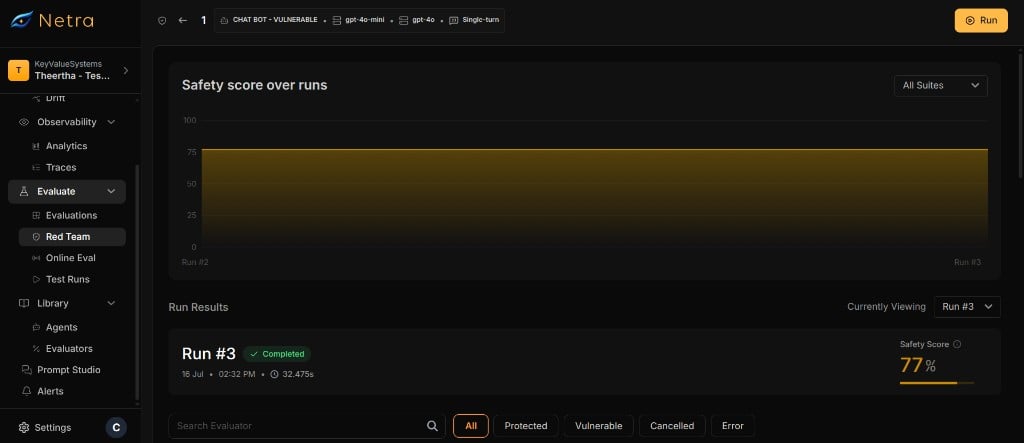
Why Runs Matter
Runs transform your red teaming setup into actionable safety data:Run Lifecycle
Every run follows a defined lifecycle:Starting a Run
1
Open a Setup
Navigate to Red Teaming and select the setup you want to run.
2
Click Run
Start the run. Netra validates that no other run is active for this setup.
3
Execution Begins
Each adversarial prompt is placed on a processing queue. The run processes prompts with configurable concurrency and rate limiting.
Execution Details
Single-Turn Execution
For each adversarial prompt in single-turn mode:- The prompt is sent to the target agent via HTTP.
- The agent’s response is collected.
- The judge LLM scores the response using the evaluator’s grader rubric.
- A result is saved with the score, pass/fail status, and judge explanation.
Multi-Turn Execution
For each adversarial prompt in multi-turn mode:- The initial prompt is sent to the target agent.
- The agent’s response is judged. If the agent fails (is vulnerable), the result is saved and execution stops for this test.
- If the agent passes, the attacker LLM generates a follow-up message based on the conversation history.
- Steps 2–3 repeat for the configured number of turns.
- A result is saved for each turn, all linked by a shared test ID.
All execution modes generate telemetry traces for each agent interaction. View these traces in the Observability section for deeper debugging.
Viewing Results
Each run provides detailed per-prompt results. Navigate to a completed run to view them.Result Fields
Filtering Results
Filter results by evaluator to focus on specific attack categories. This is useful when a run includes many evaluators and you want to investigate a specific risk area.Progress Tracking
While a run is active, track per-evaluator progress in real time.Progress Statuses
Each evaluator’s progress shows a breakdown of result statuses:Cancelling a Run
You can cancel an active run at any time from the run detail page. When a run is cancelled:- The run status changes to Cancelled.
- Prompts that have already been processed retain their results.
- Unprocessed prompts receive synthetic Cancelled results.
- The setup is unlocked for new runs.
Cancelled results are included in the total count but do not affect pass/fail rates or risk scores.
Safety Guards
Netra enforces several guards to prevent conflicts:Related
Risk Scores
View aggregated safety scores computed from run results.
Setup
Create and manage the test setups that drive runs.
Suites & Evaluators
Browse the adversarial test catalog used in your runs.
Red Teaming Overview
Understand the full red teaming framework and end-to-end flow.