
Why Evaluators Matter
Without systematic scoring, you can’t measure improvement or catch regressions:Evaluator Types
Netra offers two approaches to scoring, each suited for different use cases:LLM as Judge
Best for subjective quality, semantic correctness, and nuanced criteria. Uses AI models to evaluate AI outputs.
Code Evaluator
Best for deterministic checks—JSON validation, regex matching, calculations, and custom business logic in JavaScript or Python.
Auto Evaluation
When a trace contains an LLM call, Netra automatically scores the response using three built-in evaluators — no datasets, test runs, or configuration required.
Scores appear directly on the trace in your dashboard. Traces that do not contain an LLM call — such as pure retrieval or database operations — will not have auto evaluation scores.
The LLM call must go through a provider supported in the Integrations. If the call is proxied through an unsupported provider, auto evaluation scores will not appear.
Evaluators Dashboard
Navigate to Evaluation → Evaluators from the left navigation panel. The interface has two tabs: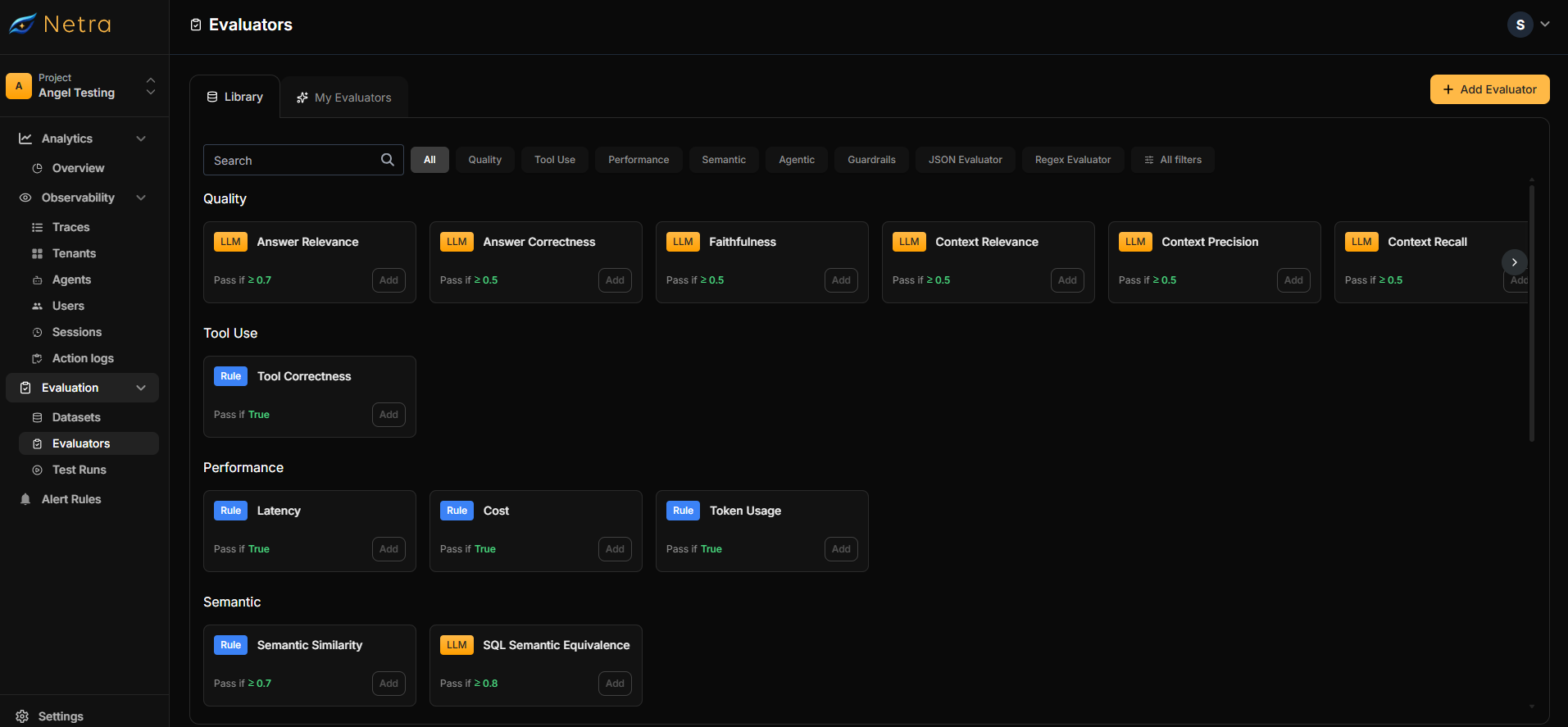
Creating Custom Evaluators
Click the Add Evaluator button in the top right corner to create a new evaluator.LLM as Judge Configuration
Use LLM as Judge when you need to evaluate subjective criteria like answer quality, relevance, or helpfulness.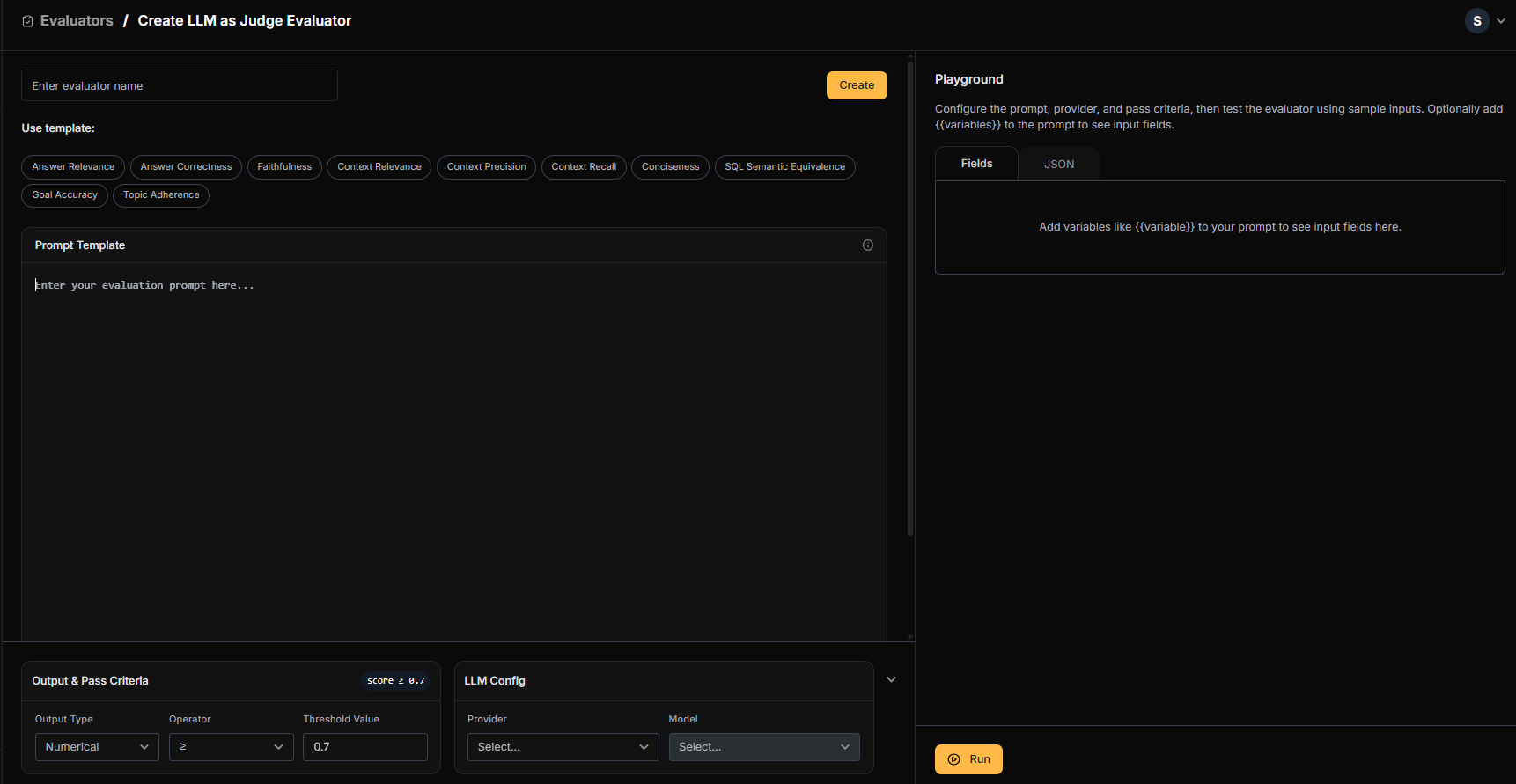
1
Name Your Evaluator
Provide a descriptive name (e.g., “Answer Correctness - Customer Support”).
2
Configure Prompt Template
- Select a prebuilt template or write your own evaluation prompt
- Define variables using
{{variable_name}}syntax - Variables map to dataset fields, agent responses, or trace metadata
3
Set Output & Pass Criteria
4
Select LLM Provider
Choose your preferred provider and model:
- OpenAI (GPT-4, GPT-3.5)
- Anthropic (Claude)
- Google (Gemini)
- Mistral
5
Test in Playground
- Input sample data for each variable
- Run the evaluator in real-time
- Refine your prompt until results are consistent
Code Evaluator Configuration
Use Code Evaluators for deterministic checks that don’t require AI judgment.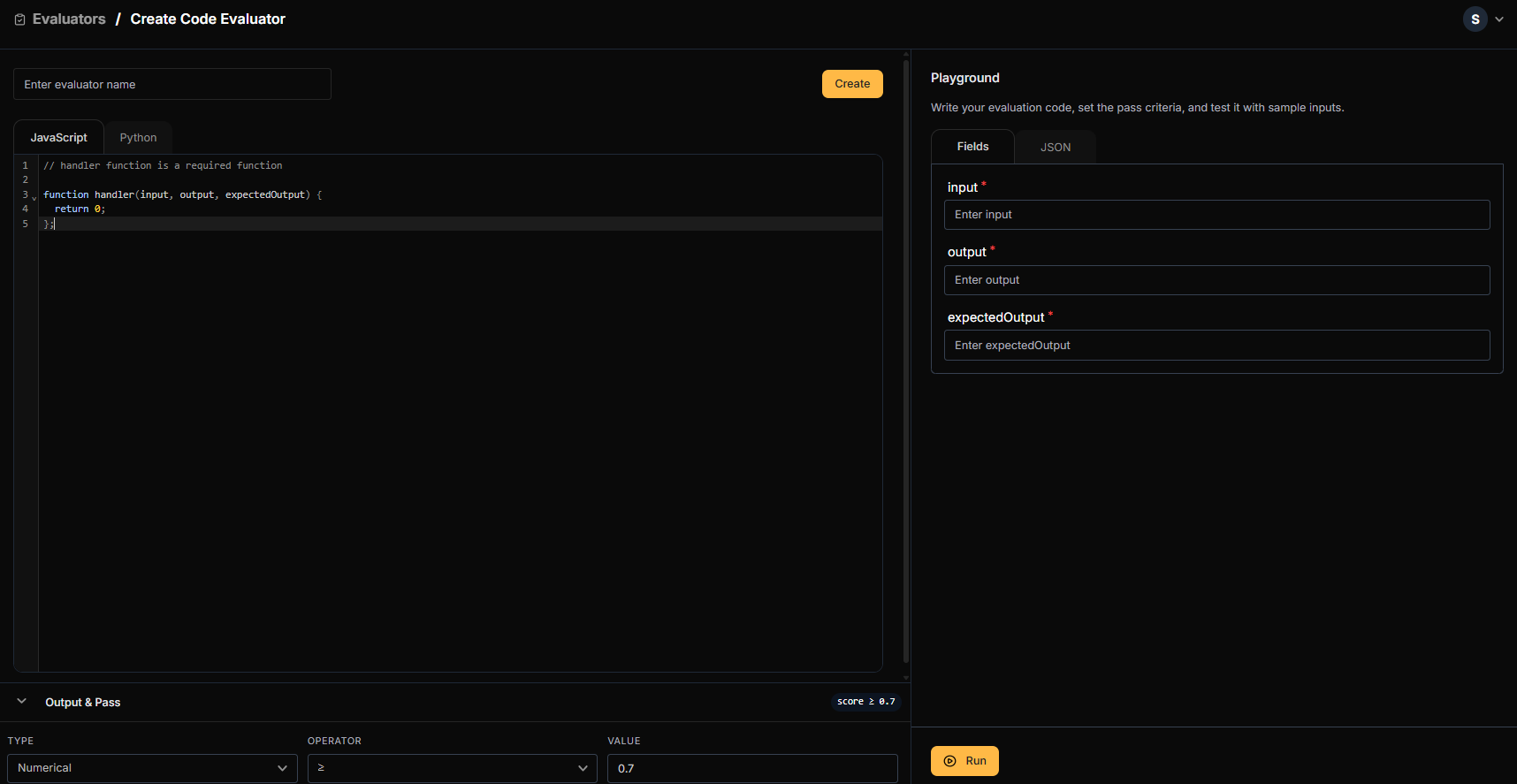
1
Name Your Evaluator
Provide a descriptive name (e.g., “JSON Schema Validator”).
2
Write Your Code
Use the code editor to write JavaScript or Python. A Python example:
handler function is required.JavaScript example:3
Set Output & Pass Criteria
4
Test in Playground
- Input sample data
- Execute your code in real-time
- Debug and refine until it handles edge cases correctly
Once created, your evaluator appears in My Evaluators and becomes available when creating datasets.
Library
The Library contains pre-built evaluators ready to use or customize.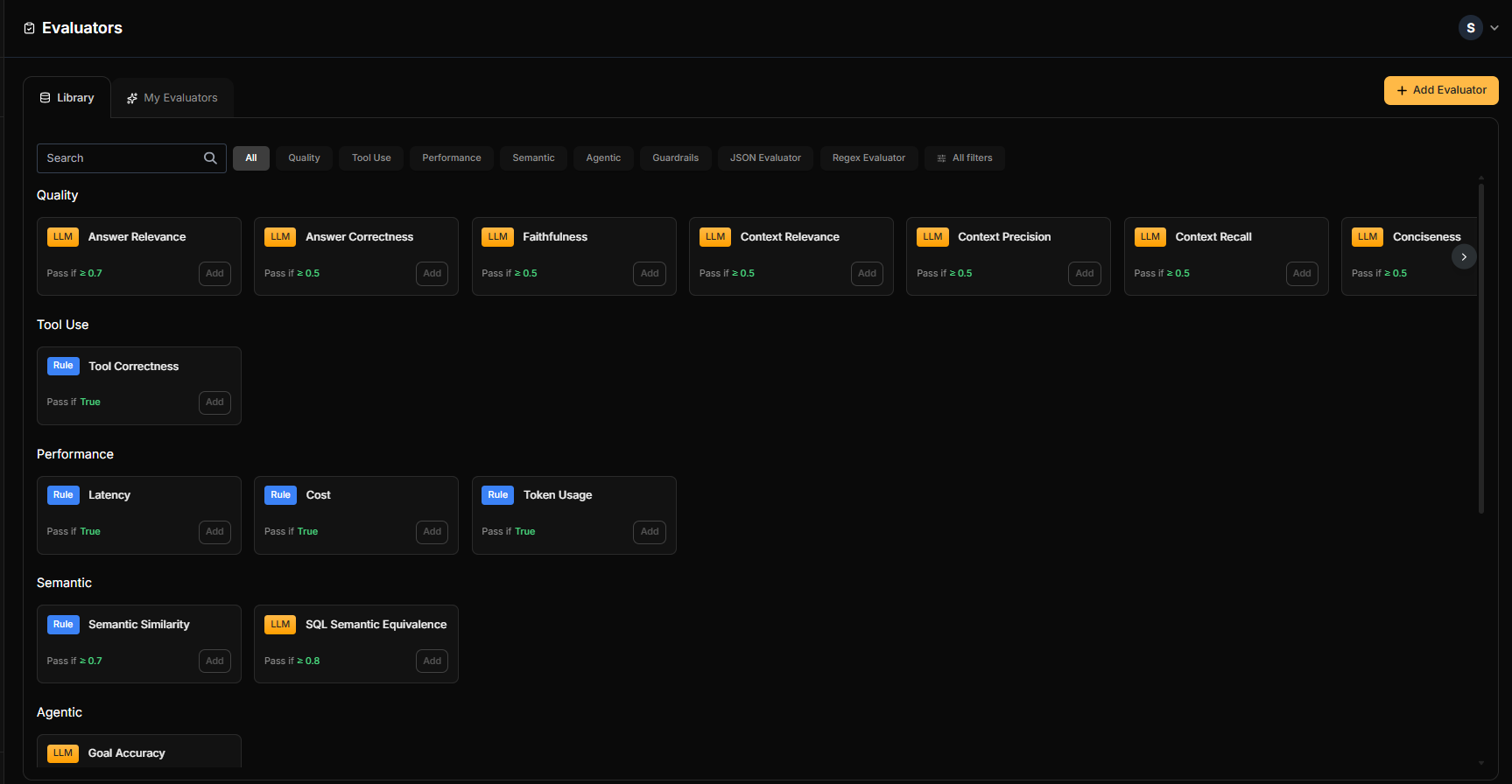
Customizing Pre-built Evaluators
Start with a library evaluator and tailor it to your needs:1
Browse the Library
Find an evaluator that matches your use case.
2
Click Add
Opens the configuration window with pre-filled settings.
3
Customize
- Modify the prompt template
- Adjust variables and mappings
- Change pass/fail thresholds
4
Test in Playground
Validate your changes with sample data.
5
Save
Click Create to save to My Evaluators.
Using Evaluators in Datasets
Once created, evaluators become available when building datasets:- Create or edit a dataset
- In the evaluator selection step, choose from Library or My Evaluators
- Map variables to connect evaluator inputs to your data
- Run evaluations and view results in Test Runs
Best Practices
Choosing the Right Evaluator Type
Writing Effective LLM Prompts
- Be specific: Define exactly what “correct” or “good” means
- Provide examples: Include sample inputs and expected scores
- Set clear scales: “Rate 1-10” is better than “rate quality”
- Test edge cases: Validate with ambiguous or tricky inputs
Testing Before Deployment
Always use the Playground before adding evaluators to production datasets:- Test with representative samples from your actual data
- Include edge cases and potential failure scenarios
- Verify pass/fail thresholds produce expected results
Related
- Evaluation Overview - Understand the full evaluation framework
- Datasets - Create test cases that use your evaluators
- Test Runs - View evaluation results and scores
- Quick Start: Evaluation - Get started with evaluations