
Why Datasets Matter
Datasets transform ad-hoc testing into systematic quality assurance:Dataset Dashboard
Navigate to Evaluation → Datasets from the left navigation panel to access your datasets.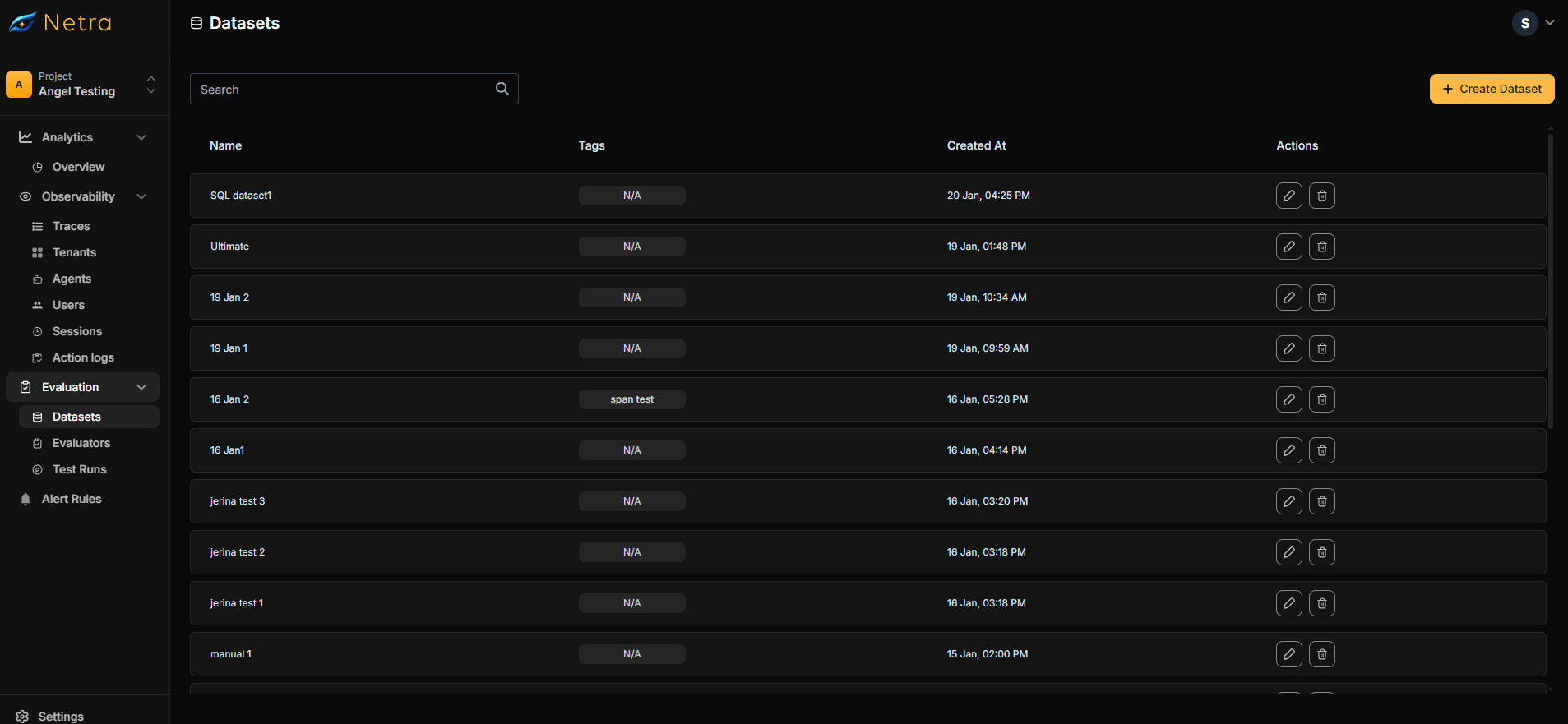
Creating a Dataset
There are two ways to create a dataset:From Traces
Convert real production interactions into test cases (Recommended)
Manual Creation
Build test suites from scratch in the dashboard
Creating Dataset from Traces
The fastest way to build meaningful test cases is to capture real interactions from your production system. This ensures your evaluations reflect actual user behavior.1
Find a Trace
Navigate to Observability → Traces and locate an interaction you want to use as a test case.
2
Add to Dataset
Click the Add to Dataset button on the trace.Choose to create a new dataset or add to an existing one.
3
Configure Test Case
In the creation form:
- Enter a dataset name (e.g., “Customer Support QA”)
- Add optional tags for organization
- Review and edit the input prompt
- Provide the expected output
- Include any relevant metadata from the trace
4
Select Evaluators
Click Next and choose evaluators to score this test case:
- Browse the evaluator library
- Or select from your saved evaluators in My Evaluators
5
Map Variables
Configure how evaluator variables connect to your data:
6
Create Dataset
Click Create Dataset to finalize.
Creating Dataset from Dashboard
For comprehensive test coverage, create datasets manually with carefully crafted test cases.1
Open Creation Form
Click the Create Dataset button in the top right corner of the Datasets page.
2
Configure Dataset
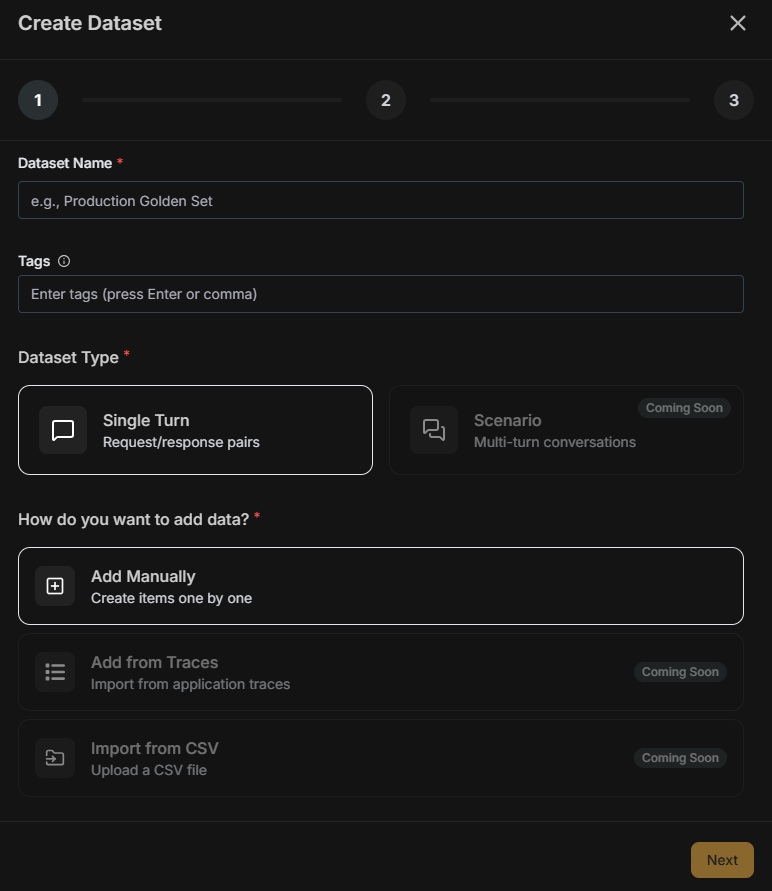
Scenario (multi-turn conversations), Import from traces, and Import from CSV are coming soon.
3
Select Evaluators
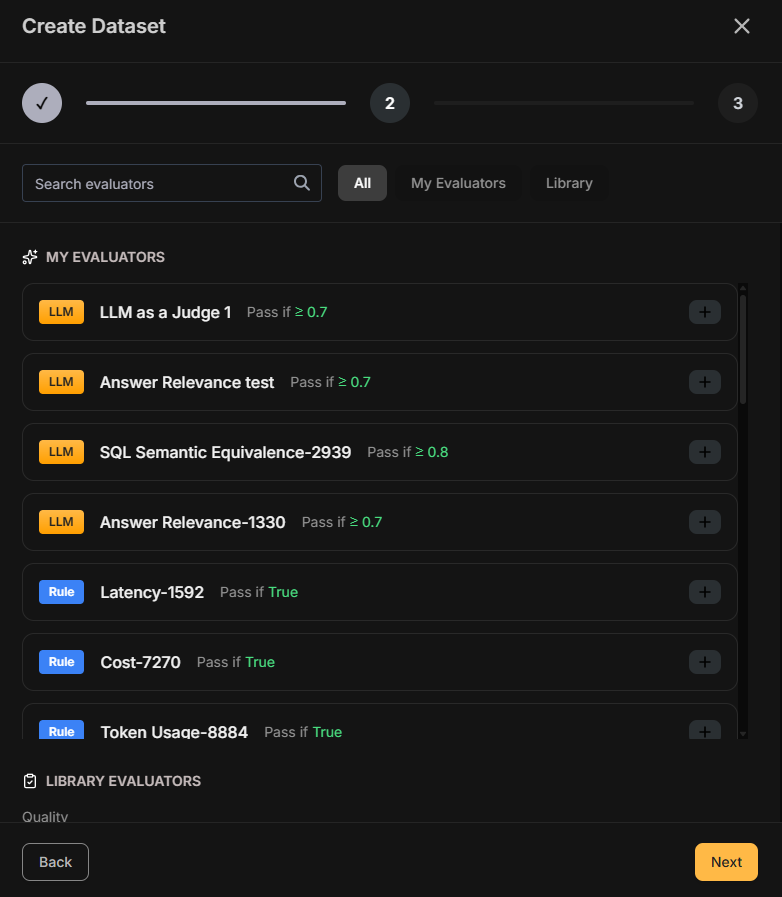
4
Map Variables
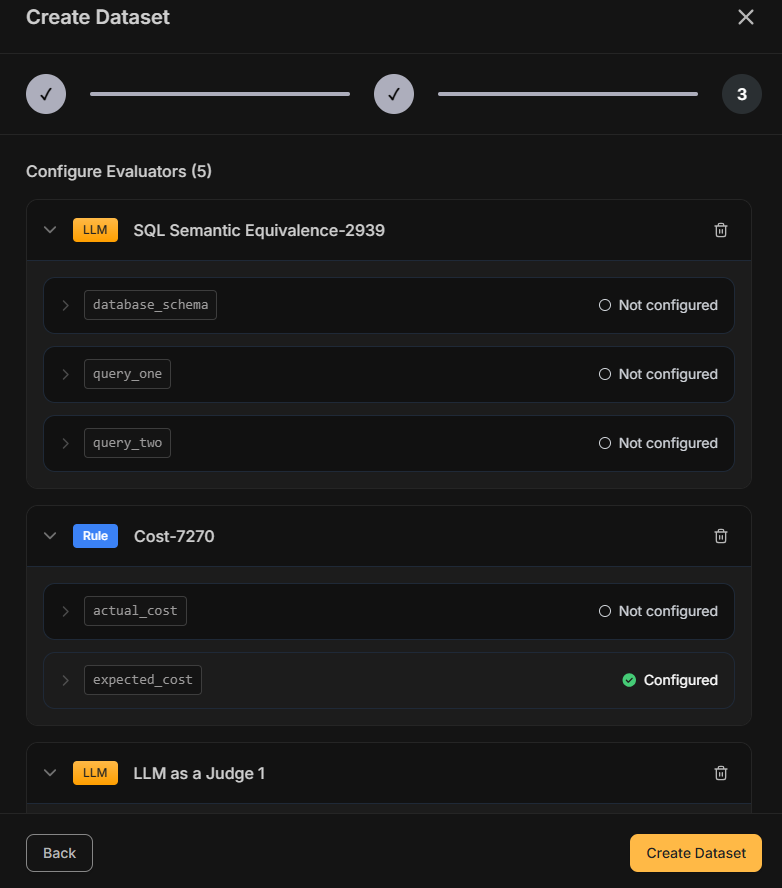
5
Finalize
Click Create Dataset to complete the process.
Running an Evaluation
Once your dataset is configured with evaluators, trigger a test run via the SDK.1
Copy Dataset ID
Open your dataset and copy the Dataset ID displayed at the top of the page.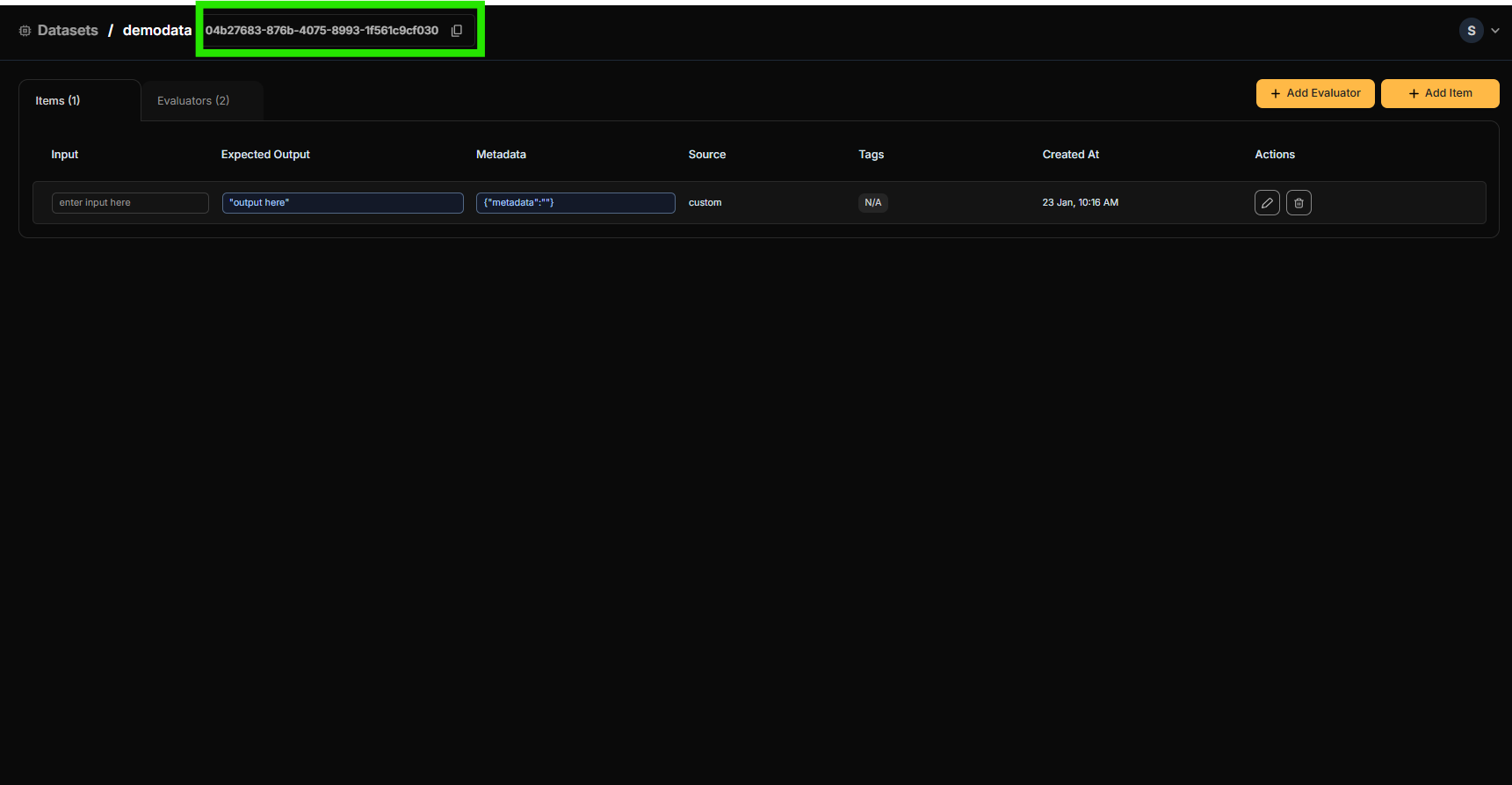
2
Trigger Evaluation
Use the Dataset ID to fetch the dataset and run a test suite. The task function receives the The output is compared against
input field from each dataset item and should return the generated output as a string.expectedOutput by the evaluators attached to the dataset. See the SDK reference for Python and TypeScript for the full API.3
View Results
Monitor progress and results in Test Runs.
Best Practices
Organizing Datasets
- Use descriptive names: “Customer Support - Refund Requests” is better than “Dataset 1”
- Tag consistently: Create a tagging convention (e.g., by feature, model version, or test type)
- Version your datasets: Include version numbers in tags when testing prompt iterations
Building Effective Test Cases
- Cover edge cases: Include unusual inputs, long prompts, and potential failure scenarios
- Balance quantity and quality: A smaller dataset of high-quality test cases beats a large dataset of weak ones
- Include negative tests: Add cases where the expected behavior is to refuse or ask for clarification
Maintaining Datasets
- Update regularly: Add new test cases from production traces as you discover new patterns
- Remove outdated cases: Delete test cases that no longer reflect current requirements
- Review failed cases: Investigate failures to determine if the AI is wrong or the expected output needs updating
Related
- Evaluation Overview - Understand the full evaluation framework
- Evaluators - Configure scoring logic for your datasets
- Test Runs - Analyze evaluation results
- Traces - Source data for creating datasets from production