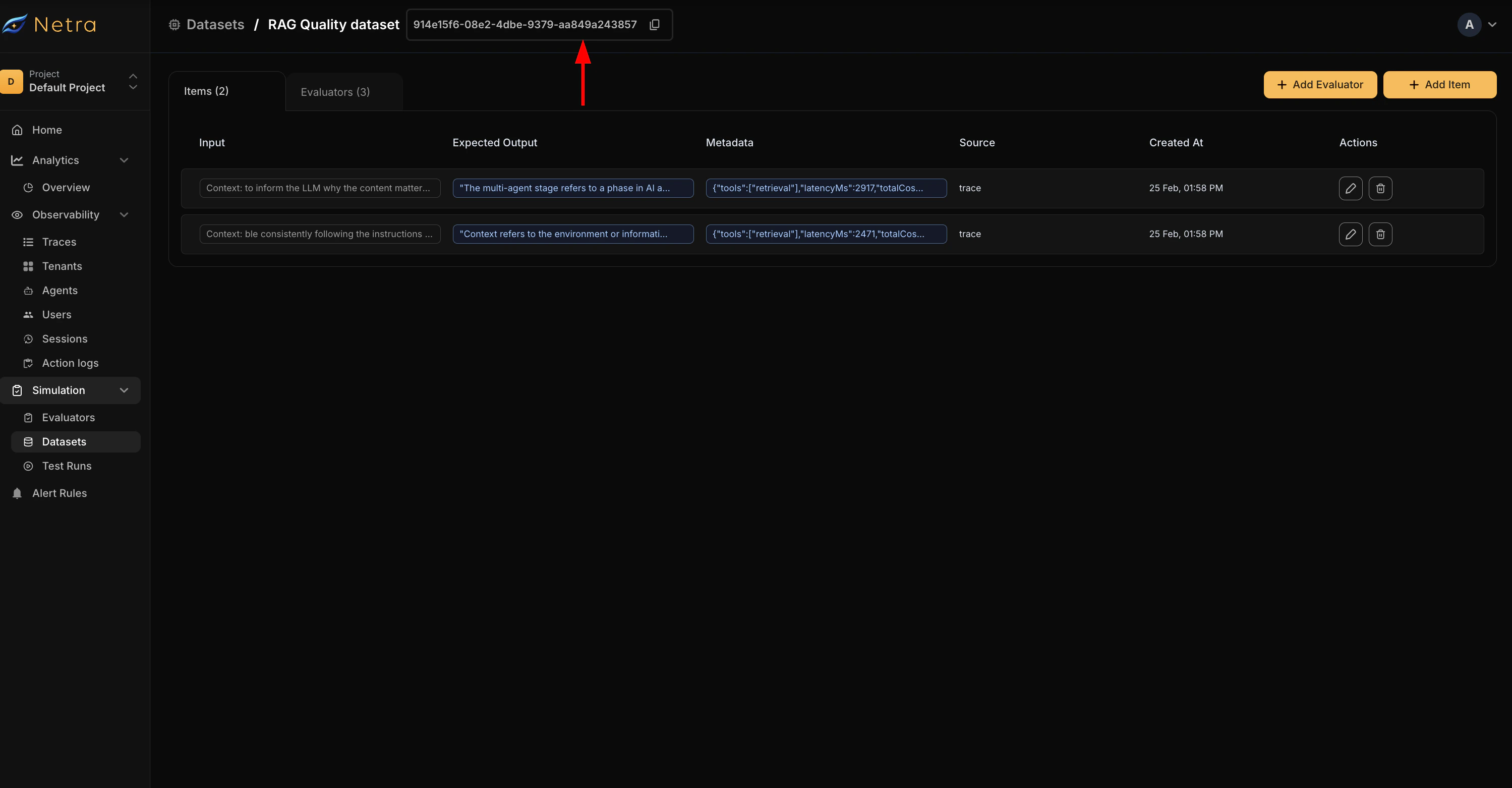
This cookbook shows you how to systematically evaluate the quality of a Retrieval-Augmented Generation (RAG) pipeline using Netra’s evaluation framework. You’ll learn to measure retrieval effectiveness, answer accuracy, and detect hallucinations.

Open in Google Colab

Run the complete notebook in your browser

What You’ll Learn

Build Comprehensive Test Datasets

Create test cases with expected answers to benchmark your RAG system

Configure LLM-as-Judge Evaluators

Set up evaluators for retrieval quality, answer correctness, and faithfulness

Execute Systematic Test Runs

Run evaluation suites and collect metrics across your entire dataset

Analyze Results & Iterate

Interpret results, identify failure patterns, and improve your pipeline
Prerequisites:
  • Python >=3.10, <3.14
  • OpenAI API key
  • Netra API key (Get started here)
  • A RAG pipeline with Netra tracing configured

Step 0: Install Packages

pip install netra-sdk openai chromadb pypdf reportlab

Step 1: Set Environment Variables

import os
from getpass import getpass

os.environ["OPENAI_API_KEY"] = getpass("Enter your OpenAI API Key:")
os.environ["NETRA_API_KEY"] = getpass("Enter your Netra API Key:")
os.environ["NETRA_OTLP_ENDPOINT"] = getpass("Enter your Netra OTLP Endpoint:")

print("API keys configured!")

Step 2: Initialize Netra

from netra import Netra
from netra.instrumentation.instruments import InstrumentSet

# Initialize Netra
Netra.init(
    app_name="rag-evaluation",
    headers=f"x-api-key={os.getenv('NETRA_API_KEY')}",
    environment="evaluation",
    trace_content=True,
    instruments={
        InstrumentSet.OPENAI,
        InstrumentSet.CHROMA,
    }
)

print("Netra initialized for evaluation!")

Step 3: Create or Import Your RAG Pipeline

You can use an existing RAG pipeline or build one for demonstration. For this example, we’ll create a minimal RAG pipeline.
# For demonstration, we'll create a minimal RAG pipeline
# In production, import your actual chatbot class from the Tracing RAG Pipeline cookbook

import uuid
from typing import List, Dict, Optional
from pypdf import PdfReader
import chromadb
from openai import OpenAI

# Initialize clients
openai_client = OpenAI(api_key=os.getenv("OPENAI_API_KEY"))
chroma_client = chromadb.Client()


def load_pdf(file_path: str) -> str:
    """Extract text from a PDF file."""
    reader = PdfReader(file_path)
    text = ""
    for page in reader.pages:
        text += page.extract_text() + "\n"
    return text


def chunk_text(text: str, chunk_size: int = 1000, overlap: int = 200) -> List[str]:
    """Split text into overlapping chunks."""
    chunks = []
    start = 0
    while start < len(text):
        end = start + chunk_size
        chunk = text[start:end]
        chunks.append(chunk)
        start = end - overlap
    return chunks


def generate_embeddings(texts: List[str]) -> List[List[float]]:
    """Generate embeddings for a list of texts."""
    response = openai_client.embeddings.create(
        model="text-embedding-3-small",
        input=texts
    )
    return [item.embedding for item in response.data]


def retrieve_chunks(query: str, collection, top_k: int = 3) -> List[dict]:
    """Retrieve relevant chunks for a query."""
    query_embedding = generate_embeddings([query])[0]
    results = collection.query(
        query_embeddings=[query_embedding],
        n_results=top_k,
        include=["documents", "distances"]
    )

    retrieved = []
    for i, doc in enumerate(results["documents"][0]):
        similarity = 1 - results["distances"][0][i]
        retrieved.append({
            "content": doc,
            "similarity_score": similarity
        })
    return retrieved


def generate_answer(query: str, context_chunks: List[dict]) -> dict:
    """Generate an answer using the retrieved context."""
    context = "\n\n".join([chunk["content"] for chunk in context_chunks])

    response = openai_client.chat.completions.create(
        model="gpt-4o-mini",
        messages=[
            {
                "role": "system",
                "content": "You are a helpful assistant that answers questions based on the provided context. Only use information from the context to answer. If the answer is not in the context, say so."
            },
            {
                "role": "user",
                "content": f"Context:\n{context}\n\nQuestion: {query}"
            }
        ],
        temperature=0.1
    )

    return {
        "answer": response.choices[0].message.content,
        "token_usage": {
            "prompt": response.usage.prompt_tokens,
            "completion": response.usage.completion_tokens,
            "total": response.usage.total_tokens
        }
    }


class PDFChatbot:
    """RAG Pipeline with Netra tracing."""

    def __init__(self, pdf_path: str):
        self.pdf_path = pdf_path
        self.session_id = str(uuid.uuid4())
        self.collection = None
        self.chunks: List[str] = []

    def initialize(self):
        """Initialize the vector store with PDF content."""
        pdf_text = load_pdf(self.pdf_path)
        self.chunks = chunk_text(pdf_text)
        embeddings = generate_embeddings(self.chunks)

        self.collection = chroma_client.create_collection(name=f"pdf_{self.session_id[:8]}")
        self.collection.add(
            documents=self.chunks,
            embeddings=embeddings,
            ids=[f"chunk_{i}" for i in range(len(self.chunks))]
        )
        print(f"RAG pipeline initialized with {len(self.chunks)} chunks")

    def chat(self, query: str, user_id: Optional[str] = None) -> dict:
        """Process a chat message and return the response."""
        Netra.set_session_id(self.session_id)
        if user_id:
            Netra.set_user_id(user_id)

        retrieved_chunks = retrieve_chunks(query, self.collection)
        result = generate_answer(query, retrieved_chunks)

        return {
            "query": query,
            "answer": result["answer"],
            "retrieved_chunks": retrieved_chunks,
            "token_usage": result["token_usage"]
        }


print("RAG pipeline class defined!")

Step 4: Create a Test Dataset

Start by building a dataset of question-answer pairs that represent real usage patterns. You can:
  1. Create from Traces - Go to Traces in the Netra dashboard, find good question-answer pairs, and click “Add to Dataset”
  2. Create from Dashboard - Go to Evaluation → Datasets, click “Create Dataset”, and add test cases
  3. Create Programmatically - Use this notebook to create test cases
# Example: Define a test dataset programmatically
# In production, you'll get this from the Netra dashboard

test_dataset = [
    {
        "query": "What is machine learning?",
        "expected_output": "Machine learning is a subset of artificial intelligence that enables systems to learn and improve from experience without being explicitly programmed."
    },
    {
        "query": "What are the three types of machine learning?",
        "expected_output": "The three main types are: 1) Supervised Learning - learning from labeled data, 2) Unsupervised Learning - learning patterns from unlabeled data, 3) Reinforcement Learning - learning through interaction with an environment."
    },
    {
        "query": "Who coined the term machine learning?",
        "expected_output": "Arthur Samuel coined the term 'machine learning' in 1959 while at IBM."
    },
    {
        "query": "What is an application of machine learning?",
        "expected_output": "Machine learning has numerous applications including image recognition, natural language processing, recommendation systems, autonomous vehicles, healthcare diagnostics, and fraud detection."
    },
    {
        "query": "What is not mentioned in the document?",
        "expected_output": "The information about quantum computing is not mentioned in the document."
    }
]

print(f"Created test dataset with {len(test_dataset)} test cases")
print("\nExample test case:")
print(f"Query: {test_dataset[0]['query']}")
print(f"Expected: {test_dataset[0]['expected_output']}")

Step 5: Define Evaluators

Create evaluators in the Netra dashboard under Evaluation → Evaluators → Add Evaluator. For RAG pipelines, we recommend:
  1. Context Relevance - Checks if retrieved chunks contain relevant information (score >= 0.7)
  2. Answer Correctness - Compares generated answer against expected answer (score >= 0.7)
  3. Faithfulness - Verifies answer is grounded in retrieved context (score >= 0.8)
# Evaluator configuration reference
evaluators_reference = {
    "context_relevance": {
        "template": "Context Relevance",
        "output_type": "Numerical",
        "pass_criteria": "score >= 0.7",
        "purpose": "Checks whether retrieved chunks contain information relevant to answering the question"
    },
    "answer_correctness": {
        "template": "Answer Correctness",
        "output_type": "Numerical",
        "pass_criteria": "score >= 0.7",
        "purpose": "Compares the generated answer against the expected answer"
    },
    "faithfulness": {
        "template": "Faithfulness",
        "output_type": "Numerical",
        "pass_criteria": "score >= 0.8",
        "purpose": "Verifies that the answer is grounded in the retrieved context"
    }
}

print("Evaluator reference:")
for name, config in evaluators_reference.items():
    print(f"\n{name.upper()}:")
    print(f"  Template: {config['template']}")
    print(f"  Purpose: {config['purpose']}")
    print(f"  Pass Criteria: {config['pass_criteria']}")

Step 6: Create Sample PDF and Initialize Chatbot

For this example, we’ll create a sample PDF with machine learning content.
from reportlab.lib.pagesizes import letter
from reportlab.pdfgen import canvas

def create_sample_pdf(filename: str = "sample_document.pdf"):
    """Create a sample PDF for testing."""
    c = canvas.Canvas(filename, pagesize=letter)
    width, height = letter

    # Page 1: Introduction
    c.setFont("Helvetica-Bold", 24)
    c.drawString(100, height - 100, "Introduction to Machine Learning")

    c.setFont("Helvetica", 12)
    text = """
    Machine learning is a subset of artificial intelligence that enables systems to learn
    and improve from experience without being explicitly programmed. The term was coined
    by Arthur Samuel in 1959 while at IBM.

    Machine learning algorithms build a mathematical model based on sample data, known as
    training data, in order to make predictions or decisions without being explicitly
    programmed to perform the task.

    The primary aim is to allow computers to learn automatically without human intervention
    or assistance and adjust actions accordingly.
    """

    y = height - 150
    for line in text.strip().split("\n"):
        c.drawString(100, y, line.strip())
        y -= 20

    # Page 2: Types of ML
    c.showPage()
    c.setFont("Helvetica-Bold", 18)
    c.drawString(100, height - 100, "Types of Machine Learning")

    c.setFont("Helvetica", 12)
    text = """
    There are three main types of machine learning:

    1. Supervised Learning: The algorithm learns from labeled training data and makes
       predictions based on that data. Examples include classification and regression.

    2. Unsupervised Learning: The algorithm learns patterns from unlabeled data without
       any guidance. Examples include clustering and dimensionality reduction.

    3. Reinforcement Learning: The algorithm learns through interaction with an environment,
       receiving rewards or penalties for actions. Used in robotics and game playing.

    Each type has its own applications and is suited for different kinds of problems.
    """

    y = height - 150
    for line in text.strip().split("\n"):
        c.drawString(100, y, line.strip())
        y -= 20

    # Page 3: Applications
    c.showPage()
    c.setFont("Helvetica-Bold", 18)
    c.drawString(100, height - 100, "Applications of Machine Learning")

    c.setFont("Helvetica", 12)
    text = """
    Machine learning has numerous real-world applications:

    - Image Recognition: Identifying objects, faces, and scenes in images
    - Natural Language Processing: Translation, sentiment analysis, chatbots
    - Recommendation Systems: Netflix, Amazon, Spotify recommendations
    - Autonomous Vehicles: Self-driving cars use ML for navigation
    - Healthcare: Disease diagnosis, drug discovery, personalized treatment
    - Financial Services: Fraud detection, algorithmic trading, credit scoring

    The field continues to grow rapidly with new applications emerging regularly.
    """

    y = height - 150
    for line in text.strip().split("\n"):
        c.drawString(100, y, line.strip())
        y -= 20

    c.save()
    print(f"Created sample PDF: {filename}")
    return filename

# Create the sample PDF and initialize chatbot
pdf_path = create_sample_pdf()
chatbot = PDFChatbot(pdf_path)
chatbot.initialize()

Step 7: Run Evaluation on Test Dataset

Execute your RAG pipeline against each test case in your dataset.
# Run the RAG pipeline on each test case
print("="*60)
print("Running Evaluation")
print("="*60)

results = []
for i, test_case in enumerate(test_dataset, 1):
    query = test_case["query"]
    expected = test_case["expected_output"]

    # Run the chatbot
    response = chatbot.chat(query, user_id="eval-user")

    result = {
        "test_case": i,
        "query": query,
        "expected": expected,
        "actual": response["answer"],
        "retrieved_chunks": len(response["retrieved_chunks"]),
        "max_similarity": max(c["similarity_score"] for c in response["retrieved_chunks"]),
        "token_usage": response["token_usage"]["total"]
    }
    results.append(result)

    print(f"\n--- Test Case {i} ---")
    print(f"Query: {query}")
    print(f"Retrieved {result['retrieved_chunks']} chunks (max similarity: {result['max_similarity']:.3f})")
    print(f"Answer: {response['answer'][:100]}...")
    print(f"Tokens: {result['token_usage']}")

print("\n" + "="*60)
print("Evaluation complete!")
print("="*60)

Step 8: Analyze Results

Review the evaluation results and identify patterns in failures.
import json

print("\nEvaluation Results Summary:")
print("-" * 60)

total_tokens = sum(r["token_usage"] for r in results)
avg_chunks = sum(r["retrieved_chunks"] for r in results) / len(results)
avg_similarity = sum(r["max_similarity"] for r in results) / len(results)

print(f"Total test cases: {len(results)}")
print(f"Total tokens used: {total_tokens}")
print(f"Average chunks retrieved per query: {avg_chunks:.1f}")
print(f"Average max similarity score: {avg_similarity:.3f}")

print("\nDetailed Results:")
for result in results:
    print(f"\nTest {result['test_case']}: {result['query'][:40]}...")
    print(f"  Similarity: {result['max_similarity']:.3f}")
    print(f"  Chunks: {result['retrieved_chunks']}")
    print(f"  Tokens: {result['token_usage']}")

Step 9: Using the Netra Dashboard for Full Evaluation

For complete evaluation with LLM-as-Judge scoring:
  1. Create a dataset in the Netra dashboard (Evaluation → Datasets)
  2. Configure evaluators (Evaluation → Evaluators)
  3. Run test suite: Get your dataset ID and use the API below
# Run evaluation using Netra's evaluation API
# First, create a dataset in the dashboard and get its ID

def run_evaluation_suite(dataset_id: str):
    """
    Run evaluation using your dataset and evaluators from Netra dashboard.

    Steps:
    1. Go to Netra dashboard → Evaluation → Datasets
    2. Create a dataset and get its ID
    3. Go to Evaluation → Evaluators and configure evaluators
    4. Pass dataset_id below to run the test suite
    """
    print(f"\nTo run full evaluation:")
    print(f"1. Replace 'dataset_id' with your actual dataset ID from Netra")
    print(f"2. Uncomment the code below")
    print(f"\n# Uncomment to run:")
    print(f"# dataset = Netra.evaluation.get_dataset(dataset_id)")
    print(f"# Netra.evaluation.run_test_suite(")
    print(f"#     name='RAG Quality Evaluation',")
    print(f"#     data=dataset,")
    print(f"#     task=lambda eval_input: chatbot.chat(")
    print(f"#         query=eval_input['query'],")
    print(f"#         user_id='eval-user'")
    print(f"#     )['answer']")
    print(f"# )")
    print(f"#")
    print(f"# print('Evaluation complete! View results in the Netra dashboard.')")
    print(f"# Netra.shutdown()")

run_evaluation_suite("your-dataset-id-from-netra")

Step 10: Interpreting Evaluation Scores

When analyzing your evaluation results, look for patterns:
Low Score InLikely CauseHow to Fix
Context RelevanceWrong chunks retrievedIncrease top_k, reduce chunk size, add overlap
Answer CorrectnessLLM misinterprets contextImprove system prompt, lower temperature
FaithfulnessModel hallucinatesAdd explicit grounding instructions, use stronger model
Click View Trace on failed test cases to see:
  • The exact chunks that were retrieved
  • Similarity scores for each chunk
  • The full prompt sent to the LLM
  • Token usage and latency

Continuous Evaluation Strategy

For production RAG systems, run evaluations regularly:
  1. On every deployment — Run your test suite in CI/CD before releasing changes
  2. Weekly benchmarks — Track quality trends over time
  3. After prompt changes — Measure the impact of system prompt modifications
  4. After parameter tuning — Validate that chunk size or top_k changes improve quality


Summary

You’ve learned how to systematically evaluate RAG pipeline quality:
  • Build comprehensive test datasets with expected answers to benchmark your RAG system
  • Configure LLM-as-Judge evaluators for retrieval quality, answer correctness, and faithfulness
  • Execute systematic test runs and collect metrics across your entire dataset
  • Interpret results, identify failure patterns, and improve your pipeline
With this evaluation framework, you can iterate on your RAG system with confidence—adjusting retrieval parameters, prompts, and models while measuring the impact on quality.

See Also

Last modified on February 12, 2026